Viewing PDFs
Lankir provides a high-quality PDF viewing experience powered by the MuPDF rendering engine.
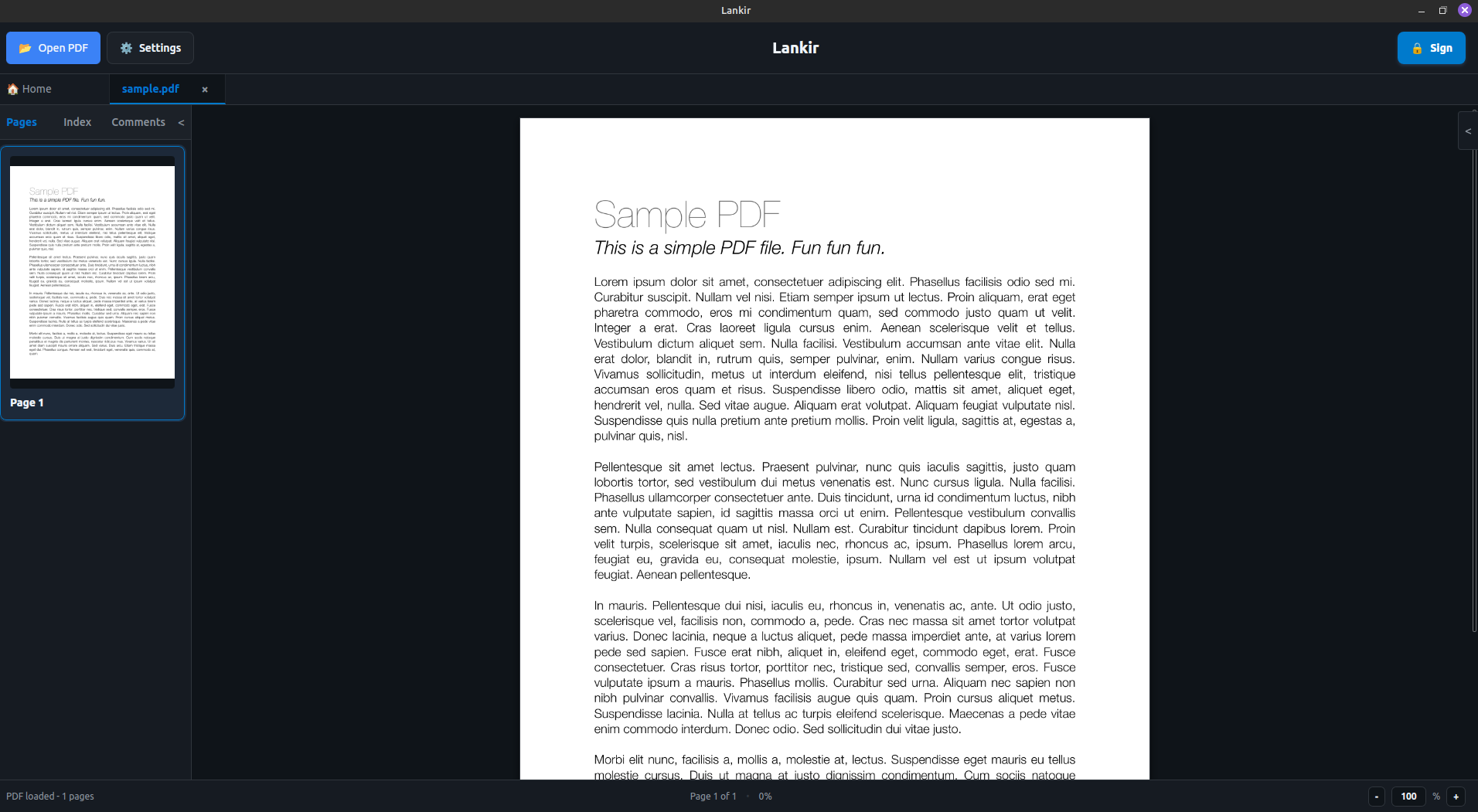
PDF viewer with document, thumbnail sidebar, and navigation controls
Opening Documents
From the GUI
File menu: File → Open (
Ctrl+O)Drag and drop: Drag PDF files onto the window
Recent files: Select from the sidebar or File → Recent
Command line:
lankir /path/to/document.pdf
From the CLI
# Get PDF information
lankir pdf info document.pdf

# Output as JSON
lankir pdf info document.pdf --json
Zoom Controls
Keyboard Shortcuts
Action |
Shortcut |
|---|---|
Zoom in |
|
Zoom out |
|
Actual size (100%) |
|
Fit width |
|
Fit page |
|
Mouse Zoom
Ctrl+Scroll: Zoom in/out at cursor positionPinch gesture (touchpad): Zoom in/out
Zoom Levels
Available zoom levels: 25%, 50%, 75%, 100%, 125%, 150%, 200%, 300%, 400%
The default zoom level is configurable:
lankir config set defaultZoom 150
View Modes
Scroll Mode (Default)
All pages displayed in a continuous vertical scroll. Best for reading documents.
Single Page Mode
One page at a time, centered in the view. Best for presentations or detailed examination.
Switch modes:
lankir config set defaultViewMode scroll # or "single"
Sidebar
Left Sidebar (Thumbnails)
Page thumbnails for quick navigation
Click any thumbnail to jump to that page
Current page highlighted
Toggle: View → Sidebar or click sidebar button
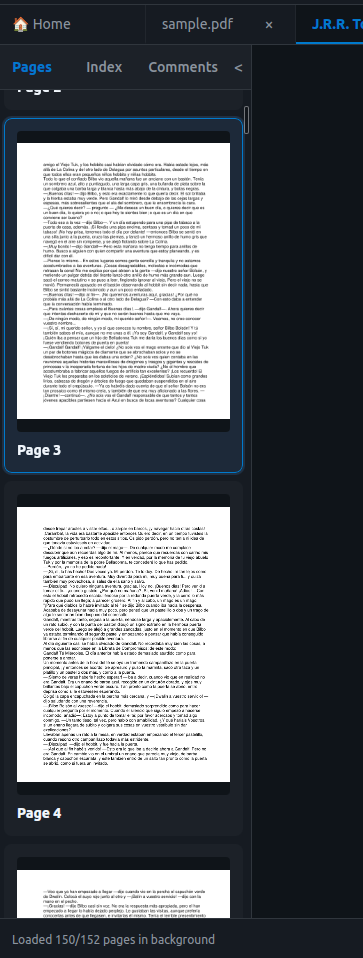
Thumbnail sidebar with current page highlighted
Recent Files
Quick access to recently opened documents. The number of files remembered is configurable:
lankir config set recentFilesLength 10
Document Information
View document metadata:
GUI
File → Properties or Ctrl+I
CLI
lankir pdf info document.pdf
Output includes:
Title, Author, Subject
Creator application
Page count
PDF version
File size
Creation/modification dates
Page Information
Get page dimensions:
lankir pdf pages document.pdf

# Output:
# Page Dimensions:
#   Page 1: 612.00 x 792.00 pts
#   Page 2: 612.00 x 792.00 pts
Standard page sizes in points:
Letter: 612 × 792
A4: 595 × 842
Legal: 612 × 1008
Rendering Pages
Export pages as images:
# Render page 1 at default DPI (150)
lankir pdf render document.pdf --page 1 --output page1.png

# Render at 300 DPI for printing
lankir pdf render document.pdf --page 1 --dpi 300 --output page1_hires.png

# Generate thumbnail (72 DPI)
lankir pdf thumbnail document.pdf --page 1 --size 200 --output thumb.png
Annotations
Lankir displays standard PDF annotations:
Text annotations (sticky notes)
Highlight, underline, strikethrough
Links (clickable)
Form fields (read-only)
Note
Annotation editing is not yet supported. Annotations are rendered as part of the page.
Performance Tips
Large Documents
For PDFs with many pages (100+):
Thumbnails load progressively
Pages render on-demand as you scroll
Memory is managed automatically
Slow Rendering
If rendering is slow:
Reduce zoom level
Disable hardware acceleration:
lankir config set hardwareAccel false
Close other resource-intensive applications
Keyboard Reference
Action |
Shortcut |
|---|---|
Open file |
|
Close file |
|
Page down |
|
Page up |
|
First page |
|
Last page |
|
Go to page |
|
Zoom in |
|
Zoom out |
|
Fit width |
|
Fit page |
|
Actual size |
|
Toggle sidebar |
|
Properties |
|
Settings |
|
Next Steps
Digital Signatures - Sign PDF documents
Signature Verification - Validate signatures